Scripting your SQL database (using SMO and the command line)
When I’m developing, I often start with a “database first” design, so having a utility that can generate my database scripts and dump them into a directory comes in really handy. During a development
When I’m developing, I often start with a “database first” design, so having a utility that can generate my database scripts and dump them into a directory comes in really handy. During a development cycle, I can then build into my application the ability to rebuild the database at runtime and seed the database with data. Once the application moves into production, on restart, it compares the directory of sql scripts with all the scripts it has already executed (stored in a table), and executes any new scripts as needed. If you’re interested in this, there are some good open-source applications that do this already. As of this writing for example, the nopCommerce application does this for example, although it uses EF CodeFirst and relies on the built-in CodeFirst script generator to create the SQL scripts. Personally, I prefer to have full control over the SQL schema generation process, so generating databases on the fly using EF CodeFirst is not something I’m personally very fond of at this time, but that’s a personal preference - the overall concept however is similar. With that out of the way, this post is about generating SQL scripts, so on with it.
Requirements
- Create a command line application that generates the needed SQL scripts to re-create a database (something that can be added as an external tool either to SQL Server Management Studio, or Visual Studio)
- Provide the following argument options:
- Server and Database/Catalog to script
- Directory to dump the files into
- Override default names for the various SQL files: Tables, Stored Procedures, UDFs, and Data
The Console Application
When creating a simple command line application, the first thing you need is a way to parse arguments and to return to the user some “help” documentation on how to use the application commands. There’s no use in re-inventing the parsing algorithms for a simple application, there are plenty out there already written for you. In this case, check out the following two links:
- THANKS TO Richard Lopes: http://www.codeproject.com/Articles/3111/C-NET-Command-Line-Arguments-Parser
- IMPROVED BY Jake Ginnivan: http://jake.ginnivan.net/c-sharp-argument-parser
Once we wire this into our application, it’s just a matter of leveraging the argument parser for our specific needs. In our case, that looks something like this.
class Program
{
    static void Main(string[] args)
    {
        var program = new Program(new Arguments(args), Console.Out);
        if (!program.Validate())
        {
            program.OutputHelp();
        }
        else
        {
            program.Execute();
        }
    }

    private Arguments _arguments;
    private TextWriter _logger;

    public Program(Arguments arguments, TextWriter logger)
    {
        this._arguments = arguments;
        this._logger = logger;
    }

    private bool Validate()
    {
        if (string.IsNullOrEmpty(_arguments.Single("server")) && string.IsNullOrEmpty(_arguments.Single("s")))
            return false;

        if (string.IsNullOrEmpty(_arguments.Single("database")) && string.IsNullOrEmpty(_arguments.Single("d")))
            return false;

        if (string.IsNullOrEmpty(_arguments.Single("directory")) && string.IsNullOrEmpty(_arguments.Single("dir")))
            return false;

        return true;
    }

    private void Execute()
    {
        var stacktrace = _arguments.IsTrue("stacktrace");
        try
        {
            var server = _arguments.Single("server") ?? _arguments.Single("s");
            var database = _arguments.Single("database") ?? _arguments.Single("d");
            var directory = _arguments.Single("directory") ?? _arguments.Single("dir");

            var output = _arguments["output"] ?? new Collection<string> { "tables", "udfs", "procedures", "data" };
            var verbose = _arguments.Exists("verbose") ? _arguments.IsTrue("verbose") : (_arguments.Exists("v") && _arguments.IsTrue("v"));

            var tablesFileName = _arguments.Single("tf") ?? "tables.sql";
            var udfsFileName = _arguments.Single("tu") ?? "udfs.sql";
            var proceduresFileName = _arguments.Single("tp") ?? "procedures.sql";
            var dataFileName = _arguments.Single("td") ?? "data.sql";

            string[] files;
            DatabaseScripter.Execute(server, database, directory, output.Contains("tables"), output.Contains("udfs"),
            output.Contains("procedures"), output.Contains("data"), tablesFileName, udfsFileName,
            proceduresFileName, dataFileName, (verbose ? _logger : null), out files);

            foreach (var file in files)
                _logger.WriteLine(file);
        }
        catch (Exception ex)
        {
            _logger.WriteLine("Exception: {0}", ex.Message);
            if (stacktrace)
                _logger.WriteLine("StackTrace: \n{0}", ex);
        }
    }

    private void OutputHelp()
    {
        _logger.WriteLine("\nMandatory arguments\n");
        _logger.WriteLine("{0,-20}{1}", "-server", "The database server.");
        _logger.WriteLine("{0,-20}{1}", "-database", "The name of the database (catalog).");
        _logger.WriteLine("{0,-20}{1}", "-directory", "The directory to output the database scripts to.");
        _logger.WriteLine("\nOptional arguments\n");
        _logger.WriteLine("{0,-20}{1}", "-verbose", "Output information while processing.");
        _logger.WriteLine("{0,-20}{1}", "-stacktrace", "Include the stack trace in the error message.");
        _logger.WriteLine("{0,-20}{1}", "-output", "This command can be specified multiple times.");
        _logger.WriteLine("{0,-20}{1}", "", "Value options: tables, udfs, procedures, data");
        _logger.WriteLine("{0,-20}{1}", "", "(by default, all options are selected).");
        _logger.WriteLine("{0,-20}{1}", "-tf", "'tables' script output file (default: tables.sql).");
        _logger.WriteLine("{0,-20}{1}", "-tu", "'udfs' script output file (default: udfs.sql).");
        _logger.WriteLine("{0,-20}{1}", "-tp", "'procedures' script output file (default: procedures.sql).");
        _logger.WriteLine("{0,-20}{1}", "-td", "'data' script output file (default: data.sql).");
    }
}
Scripting the Database
SQL Server Management Studio has a very nice built-in wizard that does everything we need.
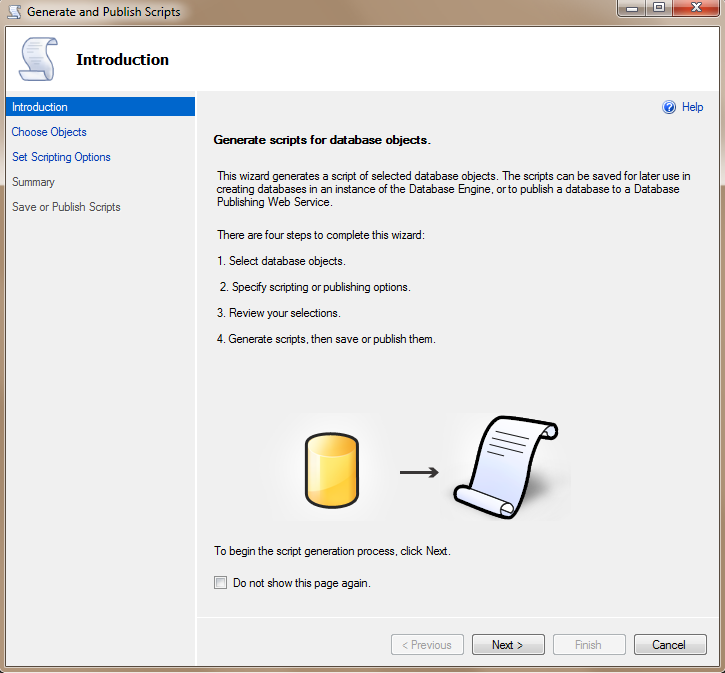
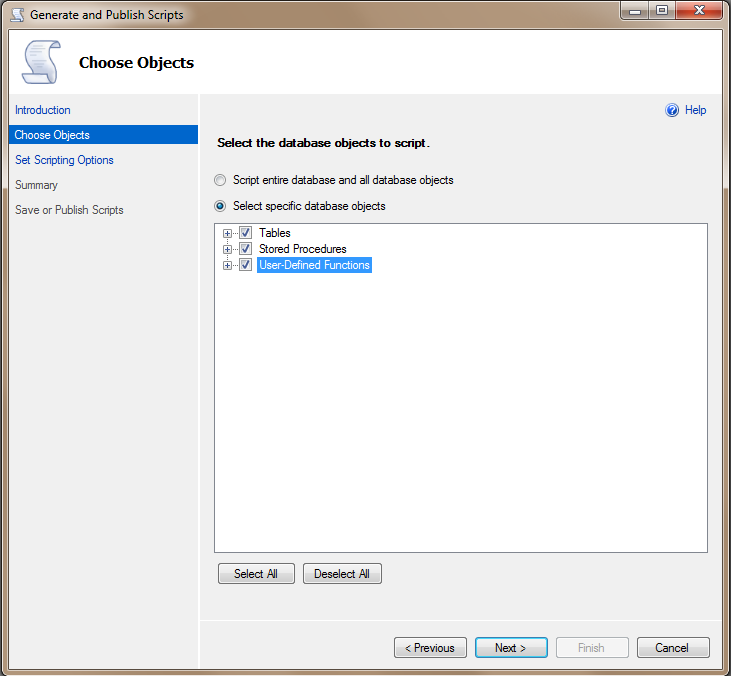
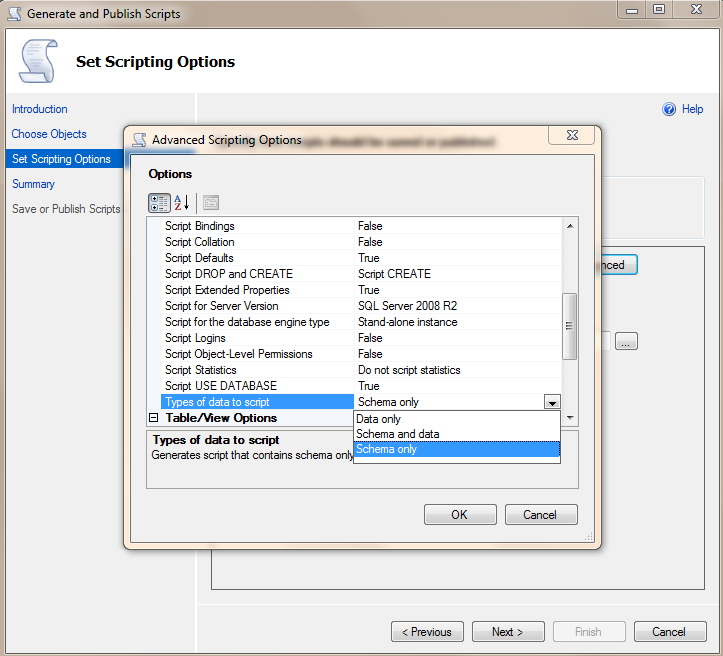 The goal is to use the SMO API to basically reproduce what the wizard does above, all from a command line. The API gives you pretty much everything you need with the Scripter and ScriptingOptions objects. Using these objects, we can easily script Tables, Stored Procedures, UDFs, and Data:
var dbServer = new Server(server);
var db = dbServer.Databases[database];
var scriptingOptions =  new ScriptingOptions
   {
       AppendToFile = true,
       AnsiFile = true,
       AnsiPadding = true,
       ChangeTracking = true,
       ClusteredIndexes = true,
       ContinueScriptingOnError = false,
       DriAll = true,
       IncludeHeaders = true,
       IncludeIfNotExists = true,
       Indexes = true,
       ToFileOnly = true,
       WithDependencies = true
   };
var scripter = new Scripter(dbServer) {Options = scriptingOptions};

var paths = new List<string>();
if (includeTables)
{
    var fName = Path.Combine(directory, tablesFileName);
    ScriptTables(fName, db, scripter, logger);
    paths.Add(fName);
}
if (includeUdfs)
{
    var fName = Path.Combine(directory, udfsFileName);
    ScriptUdfs(fName, db, scripter, logger);
    paths.Add(fName);
}
if (includeProcedures)
{
    var fName = Path.Combine(directory, proceduresFileName);
    ScriptProcedures(fName, db, scripter, logger);
    paths.Add(fName);
}
if (includeData)
{
    var fName = Path.Combine(directory, dataFileName);
    ScriptData(fName, db, scripter, logger);
    paths.Add(fName);
}
Final Output
Now that everything is wired up, it’s time to test it out. Let’s go with the aspnetdb, something everybody is already pretty familiar with. Here’s what the “help” screen looks like:
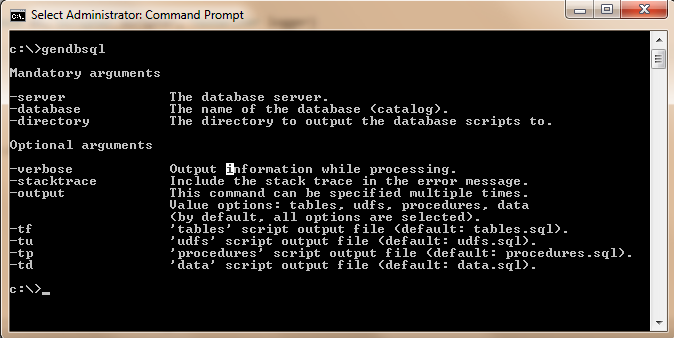 Now for the real thing:
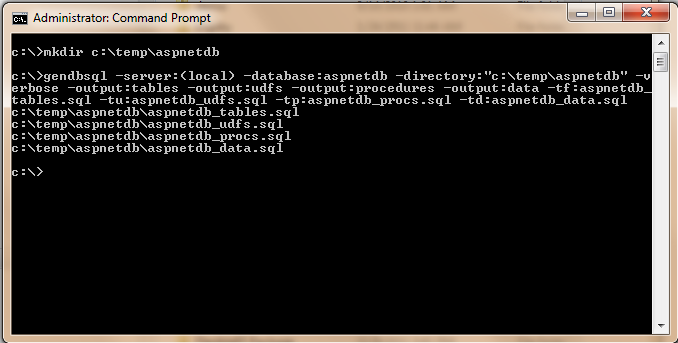 And there you go. Now, you can use a command line to easily script your databases. All the code is provided below. Use, experiment, extend as you please. [Download Code](/funcoding/files/2012/04/gendbsql1.zip)
Comments
Comments are moderated. Your email is never displayed publicly.